
RX3i PLC Guide for Plant Engineers: 2026 Edition
The PACSystems RX3i is Emerson’s modular programmable automation controller (PAC) platform, designed to deliver backward compatibility with GE Series 90-30 I/O hardware while supporting modern communication protocols like OPC UA and Modbus TCP. Plant engineers running legacy GE automation systems will find the RX3i the most direct upgrade path available today. The platform’s programming environment, Proficy Machine Edition, handles everything from ladder logic to structured text across process, hybrid, and discrete applications. Understanding the RX3i’s specifications, migration steps, and communication configuration is what separates a smooth cutover from a costly commissioning failure.
What is the RX3i and how does it fit in your plant?
The RX3i is a rack-based PAC that accepts both legacy GE 90-30 I/O modules and newer IC695-series modules in the same backplane. That single fact drives most of its value for plants running aging GE Fanuc systems. CPU options include the IC695CPE302, CPE305, CPE310, CPE330, CPE400, and CPL410, covering a wide range of scan-time and memory requirements. The Emerson Discrete Automation Knowledge Center published updated documentation for these controllers as recently as may 2026, confirming active firmware support.
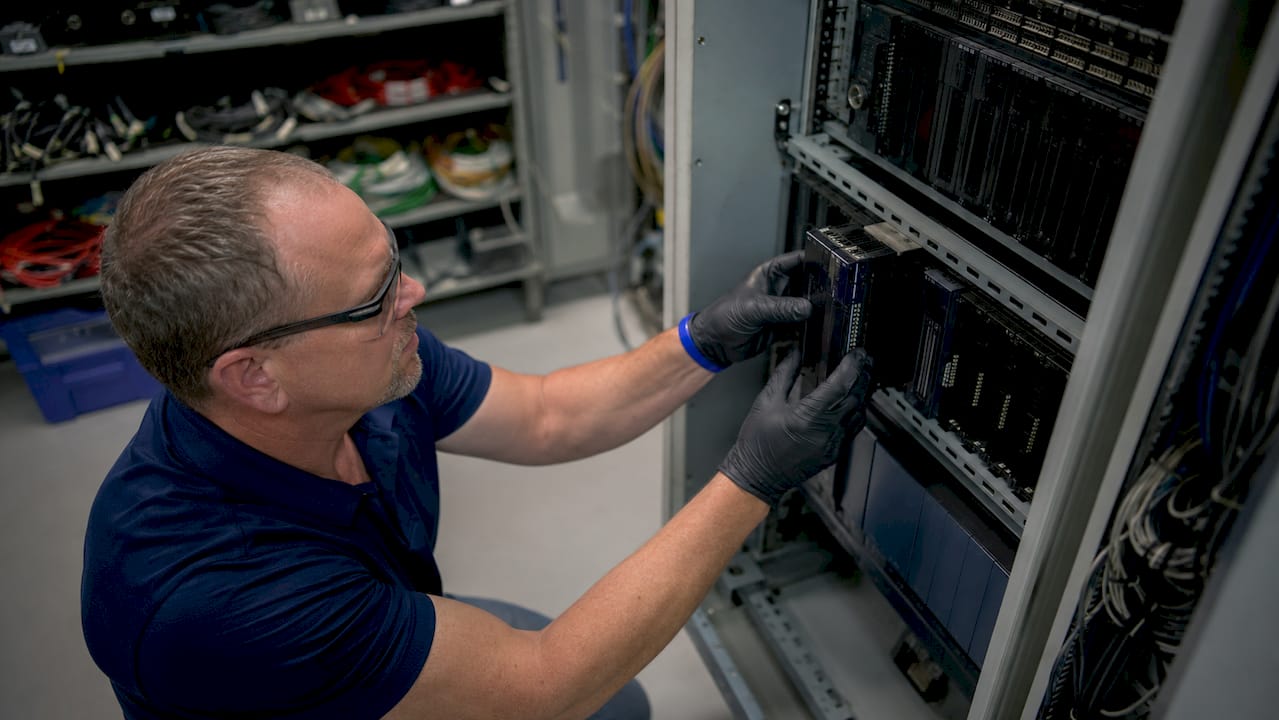
Proficy Machine Edition is the single software environment for RX3i configuration, hardware setup, and logic development. It supports IEC 61131-3 languages including ladder diagram, function block diagram, structured text, and instruction list. For plants that also use HMIs, understanding HMI integration in automation alongside the RX3i CPU configuration reduces commissioning time significantly.
How does RX3i enable migration from legacy GE Series 90-30 systems?
The RX3i is compatible with about 95% of GE Series 90-30 I/O modules, which means most plants can retain their existing field wiring and I/O cards during a CPU upgrade. That compatibility is the single biggest cost-reduction lever in any GE legacy migration. You are not ripping out proven hardware. You are replacing the brain while keeping the nervous system intact.
Recommended upgrade sequence
Follow this order to minimize downtime and reduce risk:
- Back up the existing Series 90-30 project in Proficy Machine Edition before touching any hardware.
- Replace the power supply with an RX3i-compatible unit rated for your rack.
- Swap the CPU to your target IC695 model (CPE302 through CPL410 depending on performance needs).
- Update Proficy Machine Edition to the version that matches your new CPU firmware.
- Test I/O module communication rack by rack before moving to the next segment.
- Replace any incompatible I/O modules identified during testing.
A minority of older modules may require firmware updates or direct replacement despite fitting physically in the rack. Firmware version compatibility with the RX3i backplane goes beyond mechanical plug-in. Confirm each module’s firmware revision against Emerson’s compatibility matrix before committing to a cutover date.
One migration detail that trips up many technicians: legacy COMREQ instruction variants from Series 90-30 logic do not download cleanly to an RX3i target. Legacy COMMREQ 30 blocks must be replaced with standard RX3i COMREQ instructions, and task parameters need adjustment before the project will compile without errors. Search the entire logic project for these blocks before your cutover window opens.
Pro Tip: Use Proficy Machine Edition’s target conversion tool and back up your project immediately before converting. Right-click the project target, set the module IP address, subnet, and gateway, then download the hardware configuration as a separate step from the logic download. This two-step approach catches IP conflicts before they cause connection failures on the floor.
For plants also evaluating Modbus TCP hardware options, the IC693CMM321 module is a common legacy piece that surfaces during 90-30 to RX3i migrations and requires its own compatibility check.
What are the key RX3i communication capabilities and integration options?
RX3i CPUs CPE302, CPE305, CPE310, CPE330, CPE400, and CPL410 all support native OPC UA. That puts the RX3i in a different category from older GE platforms that required third-party OPC servers for every SCADA connection. OPC UA success depends on more than just CPU capability. You must explicitly configure tag publishing in Proficy Machine Edition, setting each tag’s access level to Read/Write and marking it as external-visible. Skipping that step is the most common reason OPC UA commissioning fails on first connection.
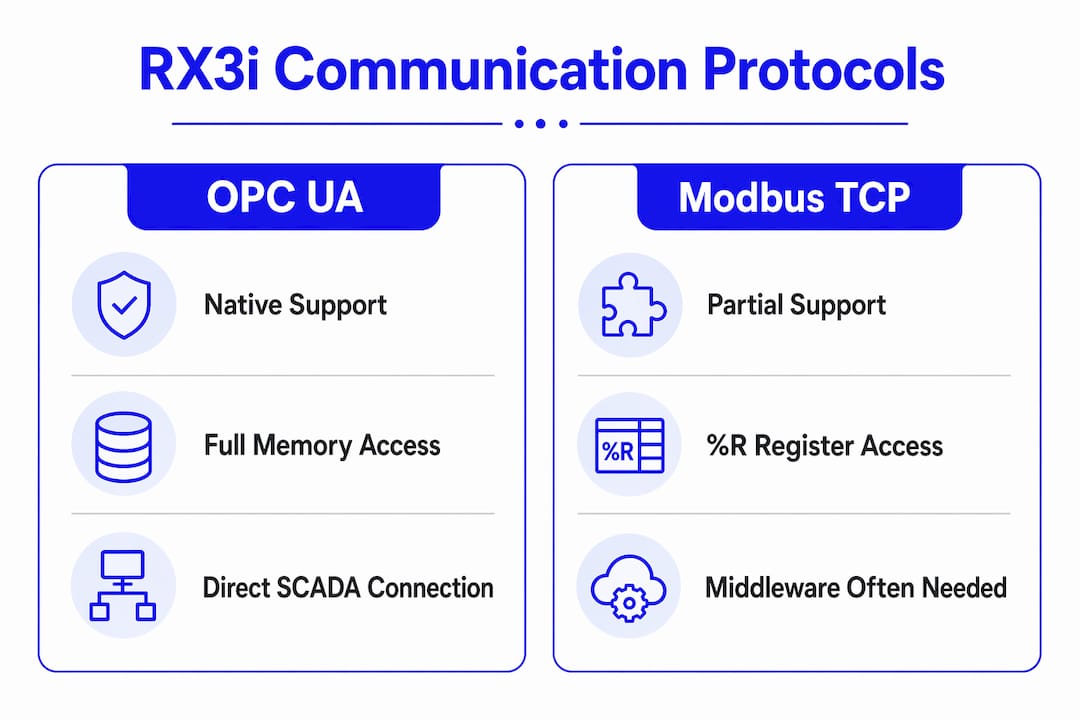
Communication protocol comparison
| Protocol | Native support | Memory access | Best use case |
|---|---|---|---|
| OPC UA | Yes (CPE302+) | All published tags | Ignition 8.1+, modern SCADA |
| Modbus TCP | Yes | %R registers only | Simple HMI reads, legacy clients |
| Kepware OPC server | Third-party | Broader register access | Mixed-vendor environments |
Modbus TCP works natively on the RX3i but only exposes %R register memory. If your SCADA or HMI needs access to %I, %Q, or %AI data, Modbus TCP alone will not cover it. For those cases, a third-party OPC server like Kepware bridges the gap without requiring a PLC logic change.
Ignition SCADA 8.1 and later versions connect directly to RX3i CPUs via OPC UA without a middleware layer. That direct path reduces latency and eliminates one potential failure point in your network architecture. For plants running older SCADA versions or mixed-vendor systems, Kepware remains the most reliable path to full register access. Understanding industrial Ethernet fundamentals helps you configure the RX3i Ethernet module correctly before attempting any OPC UA or Modbus TCP connection.
Pro Tip: If a PLC download is restricted during live production, configure OPC UA tag publishing changes through a separate hardware configuration download rather than a full logic download. This avoids a CPU restart and keeps the line running.
How should you manage RX3i programming and memory addressing in Proficy Machine Edition?
RX3i memory organization uses distinct areas: %I (discrete inputs), %Q (discrete outputs), %R (register memory), %AI (analog inputs), %AQ (analog outputs), and %T (discrete temporary). Each area has a fixed physical address space. Timer instructions occupy 3 consecutive %R registers, which is the detail most engineers miss until they see erratic field faults. A timer based at %R06000 consumes %R06000, %R06001, and %R06002. If another variable or a second timer overlaps that range, the behavior becomes unpredictable and the fault is difficult to trace.
Best practices for safe memory addressing
- Use symbolic variables for all logic programming. Let Proficy Machine Edition assign physical addresses automatically.
- Reserve dedicated %R ranges for external interfacing (SCADA reads, HMI writes) and document those ranges in your project notes.
- Never manually assign %R addresses to timers and data variables in the same range without a written memory map.
- Audit your memory map before every major logic change. Overlapping addresses do not always generate immediate errors.
Follow this workflow when adding new timers to an existing project:
- Identify the highest used %R address in the current memory map.
- Assign the new timer a base address at least 3 registers above the last used address.
- Document the new assignment in the project’s memory map spreadsheet.
- Compile and check for address conflict warnings in Proficy Machine Edition before downloading.
- Test the timer function in a controlled scan before returning the system to production.
Manual address allocation for %R registers requires dedicated range ownership to prevent overlapping timers. Unnoticed conflicts produce intermittent field faults that are nearly impossible to diagnose without a clean memory map in hand.
Pro Tip: Treat your %R memory map like a wiring diagram. Keep it in version control alongside your Proficy Machine Edition project file. When a technician reports a random output fault six months after a logic change, the memory map is the first place you look.
What are common troubleshooting scenarios for RX3i communication errors?
Error codes 31 and 402 are the two most frequent RX3i Ethernet faults. Error 31 is a Lost Interlock or Timeout fault. Error 402 is a Communications Request Error. Both typically point to CIP connection problems rather than hardware failure. The default CIP timeout on the RX3i embedded Ethernet port is 30 seconds, and the maximum concurrent CIP connections is 32. Exceeding that connection limit causes new connection requests to fail with error 402.
Diagnose these errors in this order:
- Check for duplicate IP addresses on the network segment. A duplicate IP is the fastest way to generate both error codes simultaneously.
- Verify firmware versions match between the CPU and any Ethernet interface modules. Mismatched firmware causes intermittent timeouts.
- Count active CIP connections in Proficy Machine Edition’s hardware diagnostics. If you are near the 32-connection limit, close unused connections or consolidate SCADA polling.
- Increase the CIP timeout value in the Ethernet module configuration if network latency is the root cause.
- Increase the retry count for COMREQ-based communication blocks to handle transient network delays.
- Inspect the Ethernet module or CPU for hardware faults if software adjustments do not resolve the error.
Error 31 and 402 rarely indicate a failed module on first occurrence. Start with network diagnostics and configuration adjustments before ordering replacement hardware.
Pro Tip: Log the exact timestamp of each error 31 or 402 occurrence and compare it against your network switch logs. If the errors align with scheduled SCADA polling cycles, the fix is almost always a CIP timeout increase or a reduction in polling frequency, not a hardware swap.
Key takeaways
The RX3i delivers the most cost-effective migration path from GE Series 90-30 systems by combining hardware backward compatibility with modern OPC UA communication and disciplined memory management in Proficy Machine Edition.
| Point | Details |
|---|---|
| Hardware backward compatibility | The RX3i accepts about 95% of GE Series 90-30 I/O modules, preserving field wiring investment. |
| Phased upgrade sequence | Replace power supply and CPU first, then address I/O modules and firmware compatibility. |
| OPC UA tag publishing | Set tags to Read/Write and external-visible in Proficy Machine Edition or OPC UA connections will fail. |
| Timer memory addressing | Each timer uses 3 consecutive %R registers; overlapping addresses cause intermittent field faults. |
| CIP connection limits | The RX3i embedded Ethernet port supports a maximum of 32 concurrent CIP connections before errors appear. |
Why I always start with the memory map before touching the logic
After working through multiple RX3i migrations and commissioning projects, the pattern I keep seeing is this: engineers spend weeks planning the hardware swap and almost no time on the memory map. The hardware goes in cleanly. The firmware matches. Then, three weeks into production, a random output starts cycling on and off with no obvious cause. Nine times out of ten, it is a timer address conflict that nobody caught because the project was converted from a 90-30 without a full memory audit.
The phased upgrade approach works well in practice, but it creates a false sense of security. Retaining existing I/O means retaining existing logic, and that logic was often written without strict memory discipline. When you add new timers or data blocks to a converted project, you are building on top of an address space that may already have hidden conflicts.
My honest recommendation: before you touch a single rack, export the full memory map from the existing 90-30 project and build a spreadsheet that shows every %R address in use. Flag every timer block and its three-register footprint. Then assign new addresses from a clean section of the map. This takes two hours. It saves two days of fault-chasing on the floor.
The communication side is more forgiving, but OPC UA configuration still catches people off guard. The CPU supports it natively, but explicit tag publishing configuration is not optional. I have seen commissioning teams spend a full day troubleshooting an Ignition connection that failed simply because nobody set the tag access level to external read/write. Read the configuration steps once, follow them in order, and that problem disappears.
Emerson’s Knowledge Center is genuinely useful for firmware validation and hardware compatibility checks. Use it before you finalize your parts list, not after the hardware arrives.
— Monica
RX3i parts and legacy GE components at Industrialpartsusa
Plant engineers running GE Emerson automation systems often need RX3i CPUs, power supplies, and I/O modules quickly, without waiting weeks for OEM lead times.

Industrialpartsusa stocks new, surplus, and remanufactured RX3i components including IC695-series CPUs and compatible Series 90-30 I/O modules like the IC693ALG221 analog input and IC693ALG390 analog output cards. Every part ships with a one-year warranty backed by in-house testing and repair. Same-day shipping is available on in-stock items. For a full catalog of RX3i modules and GE Emerson legacy parts, visit Industrialpartsusa directly. The team also supports worldwide clients with technical guidance on part selection for phased migration projects.
FAQ
What is the RX3i compatible with from the GE Series 90-30?
The RX3i accepts about 95% of GE Series 90-30 I/O modules in its backplane, allowing most plants to retain existing field wiring and I/O hardware during a CPU upgrade.
Which RX3i CPUs support native OPC UA?
The CPE302, CPE305, CPE310, CPE330, CPE400, and CPL410 all support native OPC UA. Tags must be explicitly published as external read/write in Proficy Machine Edition for the connection to work.
What causes RX3i error codes 31 and 402?
Error codes 31 and 402 indicate CIP connection timeouts or communication faults, most often caused by duplicate IP addresses, firmware mismatches, or exceeding the 32-connection limit on the embedded Ethernet port.
How many %R registers does an RX3i timer use?
Each RX3i timer instruction occupies 3 consecutive %R registers. Overlapping those addresses with other variables causes unpredictable field faults that are difficult to trace without a documented memory map.
Do legacy COMREQ instructions from Series 90-30 work on the RX3i?
No. Legacy COMMREQ 30 blocks must be replaced with standard RX3i COMREQ instructions before the converted project will download without errors. Search the full logic project for these blocks before your cutover window.