
GE Series 1 PLC: Maintenance and Upgrade Guide 2026
The GE Series 1 PLC is a legacy programmable logic controller platform introduced in the early 1980s, still active in manufacturing facilities that have never migrated to modern hardware. Maintenance teams managing these units face a narrow set of compatible tools, specific battery protocols, and software requirements that differ sharply from current GE Fanuc platforms. The DL305 series from AutomationDirect offers the most practical continuity path, with roughly 90% I/O module compatibility. Understanding the hardware architecture, software constraints, and upgrade options is the difference between a controlled maintenance plan and an unplanned production halt.
What is the Series 1 PLC and its core hardware?
The GE Series 1 PLC is defined by three CPU variants: the CPU101, CPU105, and CPU106. Each handles program memory and I/O differently, and that distinction drives every downstream decision about software and replacement hardware. The CPU101 is the oldest and most restrictive. The CPU105 and CPU106 support higher I/O counts and faster scan times.
All three models use battery-backed program memory. An onboard capacitor provides a 20-minute hold-up window during a battery swap. That window sounds generous, but it shrinks with age. Capacitor degradation is common in units that have been in service for decades.
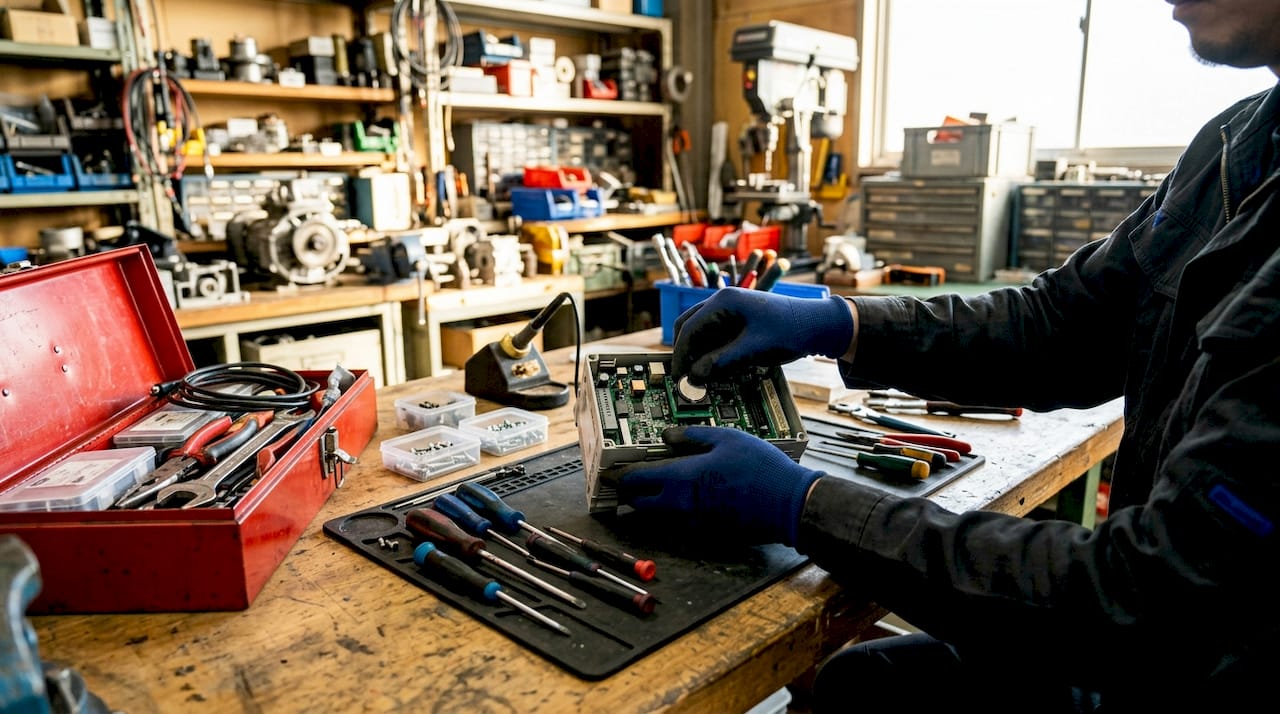
Original units used cassette tape for program backup. That method is now obsolete. Modern maintenance relies on RS-232 serial connections for program uploads and downloads. The CPU port defaults to 19,200 baud with 8N2 protocol for the tape interface running at 300 baud. A voltage level converter such as the MAX232 chip is required because modern laptops do not output true RS-232 voltage levels.
The I/O architecture uses modular bases with discrete and analog modules. Power supply integration is built into the base, which means a failing power supply takes the entire rack offline. Input modules illuminate with 24VDC from field devices regardless of CPU status. A dead CPU LED with lit input LEDs points directly to a CPU or power supply fault, not a field wiring problem.
Key hardware facts for maintenance teams:
- CPU101 uses Logicmaster One software exclusively
- CPU105 and CPU106 support DL305-compatible programming tools
- RS-232 serial is the only communication interface
- Cassette tape backup is obsolete; use serial upload instead
- Power supply failure takes the full base offline
Pro Tip: Label the baud rate and protocol settings on the inside of every Series 1 panel door. Technicians who encounter these units infrequently waste significant time re-establishing serial connections from scratch.
Which software and hardware replacements work with Series 1 PLCs?
Software compatibility is the most common source of failure during Series 1 maintenance. Logicmaster One (LM1.bat) is the only programming software that works with the original CPU101. Modern GE Fanuc platforms like Proficy Machine Edition and VersaPro are completely incompatible with any Series 1 CPU. Attempting to connect them causes communication failure or, in the worst case, memory corruption.
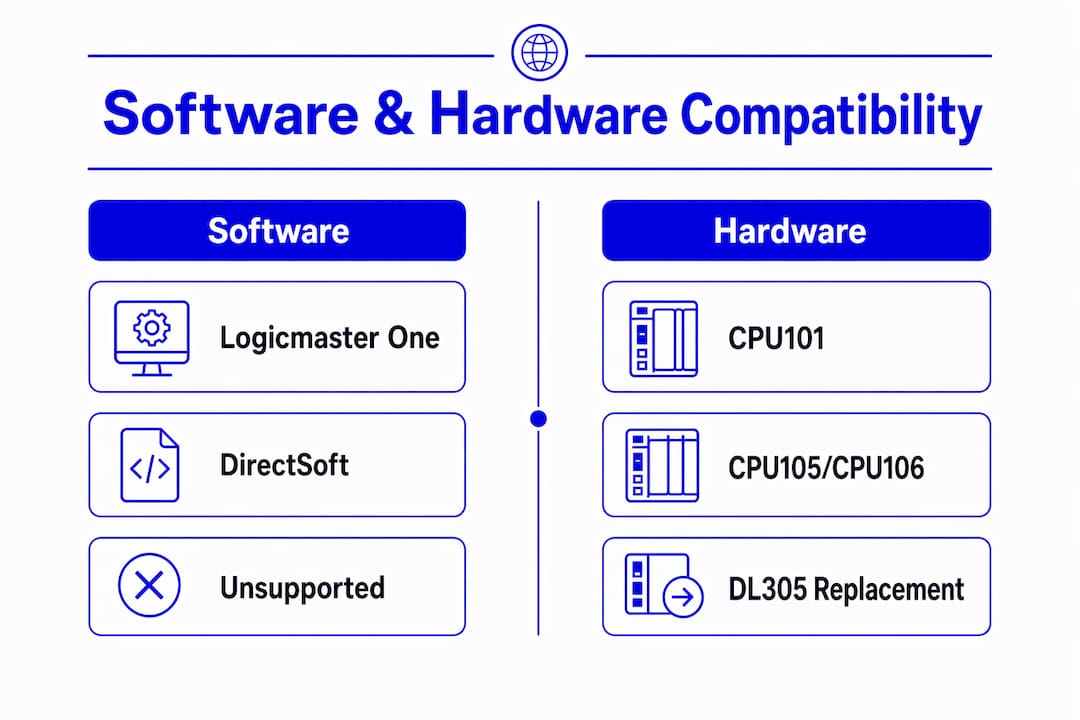
The CPU105 and CPU106 are a different story. These models are compatible with DirectSoft, the programming environment used for the AutomationDirect DL305 series. That compatibility is the foundation of the most practical upgrade path available for this platform.
| CPU Model | Compatible Software | DL305 Replacement |
|---|---|---|
| CPU101 | Logicmaster One only | Not directly compatible |
| CPU105 | Logicmaster One, DirectSoft | DL305 D3-350 equivalent |
| CPU106 | Logicmaster One, DirectSoft | DL305 D3-350 equivalent |
The DL305 series covers approximately 90% of Series 1 I/O module types with direct functional equivalents. That figure matters because it means most facilities can replace the CPU and base without rewiring field devices. The remaining 10% of I/O types require custom wiring adapters or module substitutions.
Hardware identity mismatches are a separate risk. Replacement modules sourced from the secondary market sometimes carry different firmware revisions than the original unit. Firmware revision mismatches cause identity conflicts that halt the system. Verifying the series revision on every replacement module before installation prevents this failure mode entirely.
Pro Tip: Before ordering any replacement module, photograph the label on the original unit and confirm the series revision with your supplier. Industrialpartsusa tests and documents module revisions before shipping, which removes this guesswork from the process.
What are the critical maintenance procedures for Series 1 PLCs?
Battery replacement is the highest-risk routine task on a Series 1 system. The procedure requires removing the CPU card from the base, which exposes the battery mounted directly on the board. The 3-minute swap window is the hard limit before the capacitor drains and program memory is lost. Treating this as a low-risk task is the most common mistake maintenance teams make.
The correct sequence is non-negotiable:
- Upload and verify the current program to a PC before touching the battery.
- Power down the CPU and remove it from the base.
- Replace the battery within 3 minutes, securing it with the original wire tie.
- Reinstall the CPU and power up the system.
- Upload the program again and compare it against the pre-swap backup to confirm integrity.
Step 5 is skipped more often than any other. A corrupted program after a battery swap can look identical to a clean one until the machine runs a specific sequence. Verification catches silent corruption before it causes a production fault.
“Always back up the program before the battery swap, not after. The capacitor is a safety net, not a guarantee. If the capacitor has degraded, you have seconds, not minutes, to complete the swap. A verified backup is the only real protection against program loss.”
Serial communication troubleshooting follows a consistent pattern. If the programming laptop cannot connect to the CPU, check the voltage converter first. Most modern USB-to-serial adapters do not produce true RS-232 voltage levels without an external MAX232 or equivalent converter. The second check is baud rate. The CPU port runs at 19,200 baud. Mismatched settings at the laptop end account for the majority of connection failures.
Hand Programmer Panel (HPP) outputs are a known limitation. HPP captures produce raw ladder logic with no comments or symbolic addressing. That output is technically usable but creates significant troubleshooting difficulty for anyone who did not write the original program. Document every rung with comments as soon as a program is recovered from an HPP capture.
Pro Tip: Keep a dedicated RS-232 cable with a MAX232 converter permanently stored in the panel. Label it with the baud rate and port settings. This eliminates the single most common delay during emergency maintenance calls.
How can maintenance teams plan a migration from Series 1 PLCs?
Migration from the Series 1 platform cannot be automated. There is no software tool that converts Series 1 ladder logic to any modern format. Every rung must be manually rewritten and validated. That fact shapes the entire cost and timeline calculation for any upgrade project.
The DL305 replacement approach minimizes retraining because it preserves the ladder logic programming paradigm. Technicians familiar with relay-style ladder logic can work in DirectSoft without a steep learning curve. The DL305 migration path also avoids rewiring most field I/O, which is typically the most labor-intensive part of any PLC replacement project.
Facilities with orphaned Series 1 units, meaning units with no available spare parts and no documented program backup, face the hardest migration scenario. A full system overhaul is often the only option. Partial replacement, swapping only the CPU while keeping original I/O bases, works when the bases are in good condition and compatible modules are still available.
Migration planning checklist:
- Audit every Series 1 unit for program backup status before starting any hardware work
- Identify which CPU model is installed to determine software and replacement options
- Source replacement modules with verified series revisions before committing to a migration date
- Plan a parallel test period where the new system runs alongside the original before full cutover
- Document all ladder logic with comments during the rewrite phase, not after
The migration guide for obsolete controls published by Industrialpartsusa covers the full planning and implementation sequence for teams moving off legacy platforms. The biggest risk in any Series 1 migration is undocumented logic. Programs recovered from HPP captures lack comments and symbolic names, which means the rewrite team must reverse-engineer the machine behavior from the raw ladder rungs alone.
Pro Tip: Run the new DL305 system in simulation mode against the original program logic before any live cutover. Catching logic errors in simulation costs hours. Catching them during production costs days.
Key Takeaways
The GE Series 1 PLC requires CPU-specific software, a strict battery replacement protocol, and a verified migration path to the DL305 series to remain manageable in 2026 manufacturing environments.
| Point | Details |
|---|---|
| CPU model determines software | CPU101 requires Logicmaster One; CPU105 and CPU106 support DirectSoft and DL305 migration. |
| Battery swap has a hard time limit | Complete the swap within 3 minutes and always back up the program first. |
| DL305 covers 90% of I/O types | Most field wiring stays intact during a DL305 replacement, reducing migration labor. |
| Firmware revision mismatches cause downtime | Verify series revision on every replacement module before installation. |
| Manual logic rewrite is mandatory | No automated conversion exists; plan for full ladder logic rewriting and validation. |
What I’ve learned managing Series 1 PLCs in the field
The most expensive mistake I see maintenance teams make is treating the Series 1 as “just another PLC.” It is not. The software isolation alone, where CPU101 units are locked to Logicmaster One with no modern equivalent, creates a single point of failure that most facilities do not recognize until a laptop running Windows 98 finally dies.
The second mistake is assuming the capacitor backup makes battery replacement low-risk. I have seen capacitors in 30-year-old units hold charge for less than 90 seconds. The 20-minute specification applies to a new capacitor. In practice, always treat the swap as if you have 3 minutes, because that is the safe assumption.
The HPP program capture problem is underappreciated. Facilities that have never connected a programming laptop to their Series 1 units often discover that the only program record is a printout from an HPP. That printout has no comments, no symbolic names, and no structure beyond raw rungs. Recovering a working program from that state requires someone who understands the machine behavior, not just the ladder logic syntax. Build your program documentation library now, before you need it.
My honest recommendation for any facility still running Series 1 hardware in 2026: start the PLC maintenance schedule conversation now. The DL305 path is the most cost-effective exit because it preserves your field wiring and your team’s programming knowledge. Waiting until a CPU101 fails with no backup and no spare is not a maintenance strategy. It is a production emergency.
— Monica
Series 1 replacement parts and support at Industrialpartsusa
Maintenance teams managing GE Series 1 hardware need parts that are tested, revision-verified, and available without a six-week lead time from an OEM.

Industrialpartsusa stocks surplus and remanufactured Series 1-compatible modules, DL305 replacement hardware, and legacy GE Fanuc components, all backed by a one-year warranty and same-day shipping on in-stock items. The team tests and documents series revisions before shipping, which directly addresses the firmware mismatch risk covered in this article. For facilities evaluating their full upgrade path, the legacy parts sourcing guide covers reliable suppliers for hard-to-find automation components. Contact Industrialpartsusa directly for migration consulting and bespoke replacement sourcing.
FAQ
What is the Series 1 PLC?
The GE Series 1 is a legacy programmable logic controller platform introduced in the early 1980s, built around CPU101, CPU105, and CPU106 modules with battery-backed program memory and RS-232 serial communication.
Which software programs the Series 1 CPU101?
Logicmaster One (LM1.bat) is the only compatible software for the CPU101. Modern GE Fanuc platforms like Proficy and VersaPro are incompatible and will cause communication failure or memory corruption.
How long does the capacitor hold memory during a battery swap?
The onboard capacitor holds program memory for approximately 20 minutes on a new unit, but capacitor degradation in aging hardware makes the practical safe window closer to 3 minutes. Always back up the program before starting the swap.
What is the best hardware replacement for a Series 1 PLC?
The AutomationDirect DL305 series is the most compatible functional replacement, covering approximately 90% of Series 1 I/O module types and preserving the ladder logic programming paradigm to minimize retraining.
Can Series 1 ladder logic be automatically converted to a modern format?
No automated conversion exists for Series 1 ladder logic. Migration to any modern platform requires a full manual rewrite and validation of every program rung.