
How to Integrate Old PLCs into New SCADA Systems
Integrating old PLCs into new SCADA systems is defined as connecting legacy programmable logic controllers to modern supervisory control and data acquisition platforms using protocol converter gateways and open communication standards like OPC UA. This approach lets plant engineers retain existing hardware investments while gaining real-time visibility, centralized control, and modern data analytics. Industrial edge gateways, protocol aggregation servers, and standards like OPC UA make this possible without replacing functioning equipment. Done correctly, the process extends equipment life by 10–15 years and achieves 99.5% data reliability at a fraction of full replacement cost.
What do you need to integrate old PLCs into new SCADA?
Successful SCADA system integration starts with a thorough assessment of what you already have. Legacy PLCs from platforms like GE Fanuc Series 90-30, Allen-Bradley PLC-5, or Mitsubishi FX series each use different proprietary protocols. Modbus RTU, Data Highway Plus, Genius Bus, and PROFIBUS are common examples. Your SCADA platform cannot speak these natively without a translation layer.
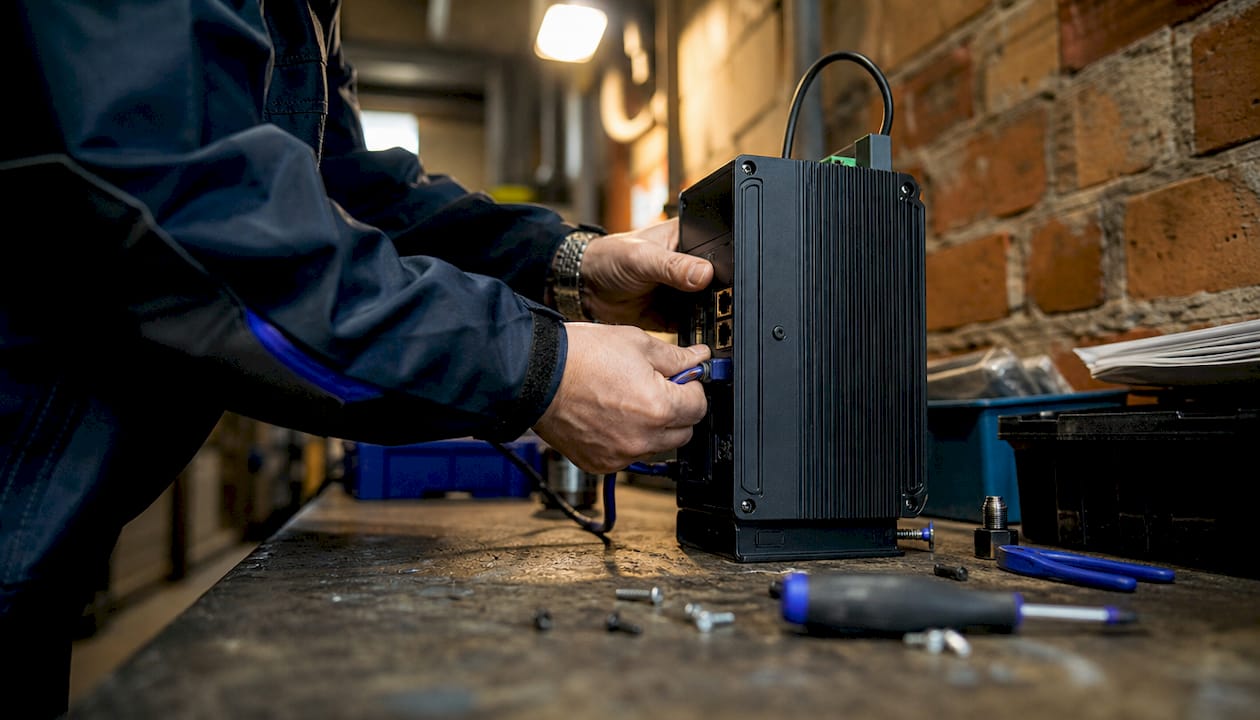
The core hardware requirement is an industrial edge gateway or protocol converter. These devices sit between the PLC network and the SCADA server. They read the PLC’s native protocol on one side and output a standard format like OPC UA, Modbus TCP, or MQTT on the other. No changes to PLC logic are required.
Software requirements include an OPC server or protocol aggregation platform. Kepware KepServerEX is the industry standard for multi-vendor environments. It translates dozens of legacy protocols into a unified OPC UA namespace that any modern SCADA platform can consume.
Network requirements are equally critical. Legacy PLCs typically run on isolated serial or proprietary bus networks. Bridging them to Ethernet requires a properly configured dual-homed gateway. One network interface faces the PLC subnet; the other faces the SCADA server or corporate LAN. This physical separation is not optional.
Pro Tip: Before purchasing any gateway, document every PLC model, firmware version, and communication port in your facility. Mismatched firmware versions are the single most common cause of failed gateway connections.
Key prerequisites at a glance:
- PLC inventory: Model, firmware, and native protocol for each unit
- Network topology map: Serial, Ethernet, or bus connections and their physical routing
- Gateway hardware: Dual-homed industrial edge gateway matched to your PLC protocols
- OPC server software: Protocol aggregation platform supporting your legacy drivers
- SCADA platform: Confirmed OPC UA or Modbus TCP client capability
- Security policy: Network segmentation rules and DMZ configuration before any connection goes live
How do you execute the step-by-step integration process?
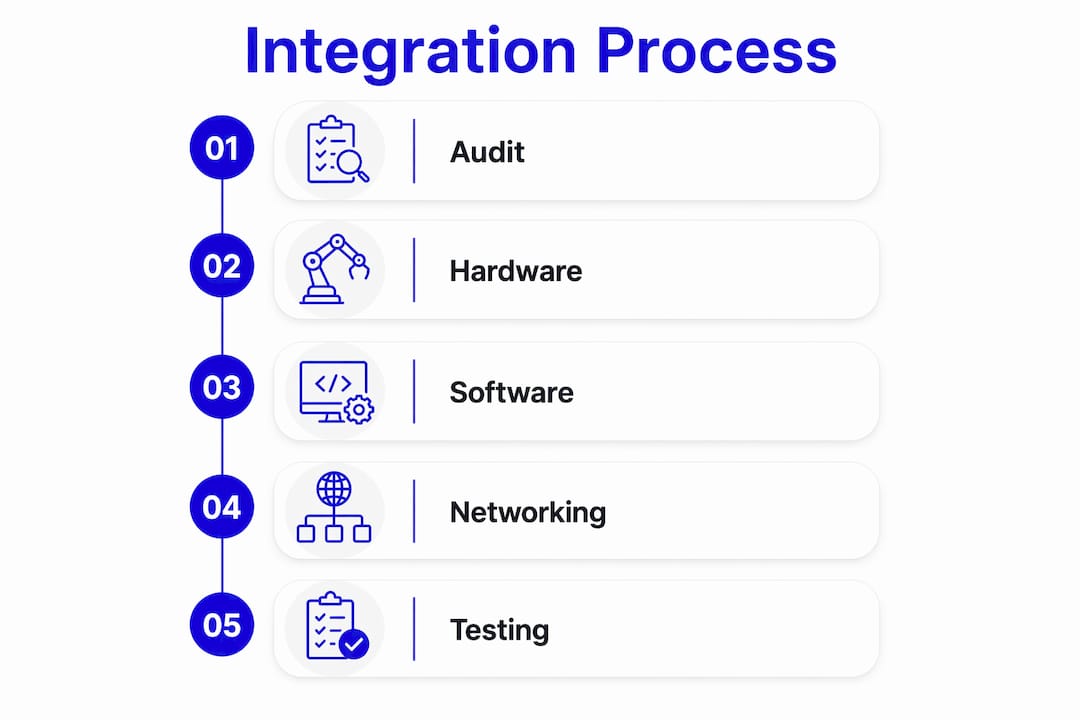
A structured process prevents the most common failure modes. The six steps below reflect best practices from facilities that have successfully connected legacy PLCs to SCADA without production downtime.
-
Audit and document. Pull every PLC program backup. Verify the live program matches documentation. Photograph all wiring, note every I/O address, and confirm communication port types. Gaps here create problems at every later stage.
-
Select and configure the gateway. Match the gateway to your PLC’s native protocol. For example, ANC-100e with KepServerEX connects Allen-Bradley PLC-5 and SLC 5/04 systems via Ethernet to modern SCADA without hardware replacement. Configure the gateway’s PLC-side interface first, then its SCADA-side output.
-
Deploy without touching PLC logic. Modifying legacy PLC code to force communication compatibility is less reliable and more risky than using a protocol converter that maps addresses externally. Keep the PLC logic frozen.
-
Configure the OPC server. Add your gateway as a channel in KepServerEX or an equivalent platform. Define tags that map to the PLC’s register addresses. Group tags by function, not by PLC address order. This makes SCADA configuration faster and reduces errors.
-
Configure the SCADA platform. Point the SCADA OPC UA client at the server namespace. Import the tag list. Build displays using normalized tag names, not raw PLC addresses. This step is where you gain the operational visibility that justified the project.
-
Run parallel operation and validate. Operate the legacy PLC and the new SCADA connection simultaneously for a defined period, typically two to four weeks. Compare SCADA readings against known-good reference instruments. Log every discrepancy and resolve it before declaring the integration complete.
Pro Tip: Set your SCADA polling rate for legacy PLCs at 1–5 seconds per tag group. Sub-second polling is appropriate for modern devices but will overload the CPU on most 1990s-era PLCs, causing missed scans and unreliable data.
| Integration step | Key output |
|---|---|
| Audit and document | Verified program backups and I/O address map |
| Gateway selection and config | PLC-to-Ethernet translation confirmed |
| OPC server setup | Unified tag namespace published |
| SCADA configuration | Live displays consuming normalized data |
| Parallel operation | Validated data accuracy before cutover |
Using dedicated protocol converter gateways reduces integration time by approximately 40% compared to modifying PLC code. That time saving also means less exposure to production risk during the project.
What are the most common integration challenges?
Proprietary protocols are the first obstacle most engineers hit. Older GE Fanuc Genius Bus, Modbus RTU over RS-485, and Allen-Bradley Data Highway Plus all require specific gateway drivers. Not every gateway vendor supports every protocol. Verify driver availability before purchasing hardware.
Cybersecurity is the challenge most teams underestimate. Directly exposing legacy PLCs to modern network traffic creates serious attack risk. Legacy PLCs lack processing power for encrypted protocols. A dual-homed edge gateway physically isolates the PLC subnet and prevents direct IT network access to the controller.
Placing a legacy PLC on the same flat network as corporate IT systems is not a configuration problem. It is a security failure. The gateway’s job is to be the only device that ever speaks directly to the PLC. Every other system talks to the gateway.
Incomplete documentation creates delays that dwarf the technical work. Many facilities have PLCs running programs that no one has backed up in years. Before integration begins, use the PLC programming software to upload the live program and verify it matches any existing documentation. Discrepancies must be resolved before adding a SCADA layer.
Polling interval misconfiguration causes subtle, hard-to-diagnose problems. A legacy PLC CPU running at 10 MHz cannot handle the same scan demands as a modern controller. Configure polling intervals at 1–5 seconds for legacy units. Faster rates cause CPU overload, missed scans, and data that looks valid in SCADA but does not reflect actual plant conditions.
Key troubleshooting checks when data integrity fails:
- Confirm gateway firmware matches the PLC protocol version, not just the protocol family
- Check for address offset errors between the gateway tag map and the PLC register table
- Verify network cable quality and termination on RS-485 and serial segments
- Review SCADA timestamp logs for gaps that indicate polling timeouts
- Test the gateway connection in isolation before adding the SCADA layer
For GE Fanuc Series 90-70 systems, the Series 90-70 upgrade guide covers hardware-specific communication quirks that affect gateway compatibility.
What are best practices for phased migration and long-term management?
The most successful integrations treat the project as a phased migration, not a one-time event. Hybrid architectures where legacy drivers and OPC UA coexist are the norm in facilities with mixed PLC generations. This approach lets you modernize one production line at a time without disrupting others.
Phased migration best practices:
- Start with the highest-value process. Integrate the line where SCADA visibility delivers the most immediate benefit, such as a bottleneck or a quality-critical step.
- Standardize OPC UA namespaces early. Define a tag naming convention before you configure the first OPC server. Retrofitting naming standards across dozens of PLCs later is expensive.
- Train operators in parallel. Run the new SCADA displays alongside existing HMIs for at least two weeks before switching operators to the new system. Operator resistance is a real project risk.
- Set replacement thresholds. Define the condition at which a legacy PLC gets replaced rather than integrated further. Common triggers include unavailable spare parts, failed repair attempts, or CPU failure rates above a defined threshold.
- Plan spare parts proactively. Legacy PLCs that are integrated but not replaced still need maintenance. Sourcing spare modules for GE Fanuc Series 90-30, Genius I/O, or Allen-Bradley SLC 500 systems requires a reliable supplier. Read the automation controls migration guide for lifecycle planning frameworks.
Pro Tip: Adopt OPC UA as your standard for every new SCADA tag, even when the underlying PLC still uses a legacy protocol. The gateway handles the translation. Your SCADA and historian see only OPC UA. When you eventually replace the PLC, only the gateway configuration changes, not the SCADA displays or historian tags.
Migrating to IT-friendly architectures using OPC UA and MQTT reduces long-term maintenance overhead and positions the facility for IIoT and cloud connectivity without another full integration project.
Key Takeaways
Integrating legacy PLCs into modern SCADA requires protocol converter gateways, OPC UA standardization, and network segmentation to achieve reliable, secure, and cost-effective connectivity.
| Point | Details |
|---|---|
| Gateway over code modification | Protocol converters reduce integration time by 40% and eliminate PLC logic risk. |
| OPC UA as the standard layer | Standardizing on OPC UA namespaces protects SCADA configuration through future PLC replacements. |
| Network isolation is mandatory | Dual-homed edge gateways keep legacy PLCs off corporate networks and reduce cyber exposure. |
| Poll rates matter | Set legacy PLC polling at 1–5 seconds to prevent CPU overload and data errors. |
| Phased migration preserves uptime | Integrating one line at a time lets you validate each stage before expanding. |
What I’ve learned from watching integration projects succeed and fail
The engineers who struggle most with legacy-to-SCADA integration are the ones who treat it as a purely technical problem. The technology is solved. Gateways work. OPC UA works. KepServerEX works. The projects that fail do so because of documentation gaps, skipped parallel operation phases, or security shortcuts taken under schedule pressure.
The cybersecurity piece deserves more attention than most teams give it. I have seen facilities connect a 1990s-era PLC directly to a corporate LAN because it was faster than configuring a proper DMZ. That decision trades weeks of setup time for years of vulnerability. A dual-homed gateway is not complex to configure. It is just a step that feels like overhead until something goes wrong.
The other underrated factor is operator involvement. SCADA integration changes how operators interact with their process. Bringing them into the parallel operation phase early, letting them flag discrepancies, and training them on the new displays before cutover turns potential resistance into genuine buy-in. That buy-in is what makes the data trustworthy, because operators who trust the system report anomalies instead of working around them.
Long-term, the facilities that manage hybrid PLC-SCADA architectures well are the ones that treat spare parts planning as part of the integration project. A GE Fanuc Series 90-30 CPU that fails two years after integration is not a crisis if you have a tested spare on the shelf. It becomes a crisis when no one planned for it.
— Monica
Industrialpartsusa supports your legacy PLC integration projects
When an integration project depends on a GE Fanuc Genius I/O module, an Allen-Bradley SLC 500 rack, or a Series 90-30 CPU that no OEM will ship in under 12 weeks, the project timeline is at risk. Industrialpartsusa stocks new, used, surplus, and remanufactured legacy automation parts with same-day shipping on in-stock items.
Industrialpartsusa specializes in hard-to-find components for GE Fanuc Series 90-30, Series 90-70, RX3i, Genius I/O, Allen-Bradley, Mitsubishi, Omron, and more. Every part ships with a one-year warranty backed by in-house testing and repair. For engineers sourcing obsolete PLC parts for an active integration project, Industrialpartsusa is the fastest path from identification to delivery. Visit industrialpartsusa.com to search inventory or contact the team for sourcing support.
FAQ
What is the best way to connect legacy PLCs to SCADA?
The best method is deploying a dedicated protocol converter gateway alongside the PLC. The gateway translates the PLC’s native protocol into OPC UA or Modbus TCP without modifying PLC logic, reducing integration time by approximately 40%.
Do I need to replace my old PLC to use a modern SCADA system?
Replacement is not required. Industrial edge gateways and OPC servers like KepServerEX allow legacy PLCs, including Allen-Bradley PLC-5 and GE Fanuc Series 90-30 units, to connect to modern SCADA platforms without hardware replacement.
How do I prevent cybersecurity risks when interfacing old PLCs?
Use a dual-homed industrial edge gateway that physically isolates the PLC subnet from corporate or SCADA networks. Never place a legacy PLC directly on a flat IT network, as legacy controllers lack the processing power for modern encrypted protocols.
What polling rate should I use for legacy PLCs in SCADA?
Set polling intervals at 1–5 seconds for legacy PLCs. Faster rates overload older CPUs, cause missed scans, and produce unreliable data in the SCADA historian.
What is OPC UA and why does it matter for SCADA integration?
OPC UA is an open, vendor-neutral communication standard that allows SCADA systems to consume data from multiple PLC brands through a single unified namespace. Standardizing on OPC UA protects your SCADA configuration when individual PLCs are eventually replaced.
Recommended
- How Robots Integrate with PLCs: Engineer’s 2026 Guide – Global Electrical and Industrial
- GE Series 1 PLC: Maintenance and Upgrade Guide 2026 – Global Electrical and Industrial
- Series 90-70 PLC: Troubleshooting and Upgrade Guide – Global Electrical and Industrial
- GE Intelligent Platforms: Legacy Hardware Guide for 2026 – Global Electrical and Industrial