
Series 90-70 PLC: Troubleshooting and Upgrade Guide
The Series 90-70 is a rack-based programmable logic controller (PLC) platform developed by GE Fanuc for industrial automation applications. Its primary programming environment is Logicmaster 90-70, a DOS-based software suite that remains the foundation for most legacy installations. Proficy Machine Edition serves as the modern successor, supporting project uploads, downloads, and conversions on current Windows systems. For maintenance professionals and plant engineers keeping these systems alive in 2026, understanding both the hardware architecture and the software environment is the difference between a two-hour fix and a two-week shutdown.
What hardware components define the Series 90-70 system?
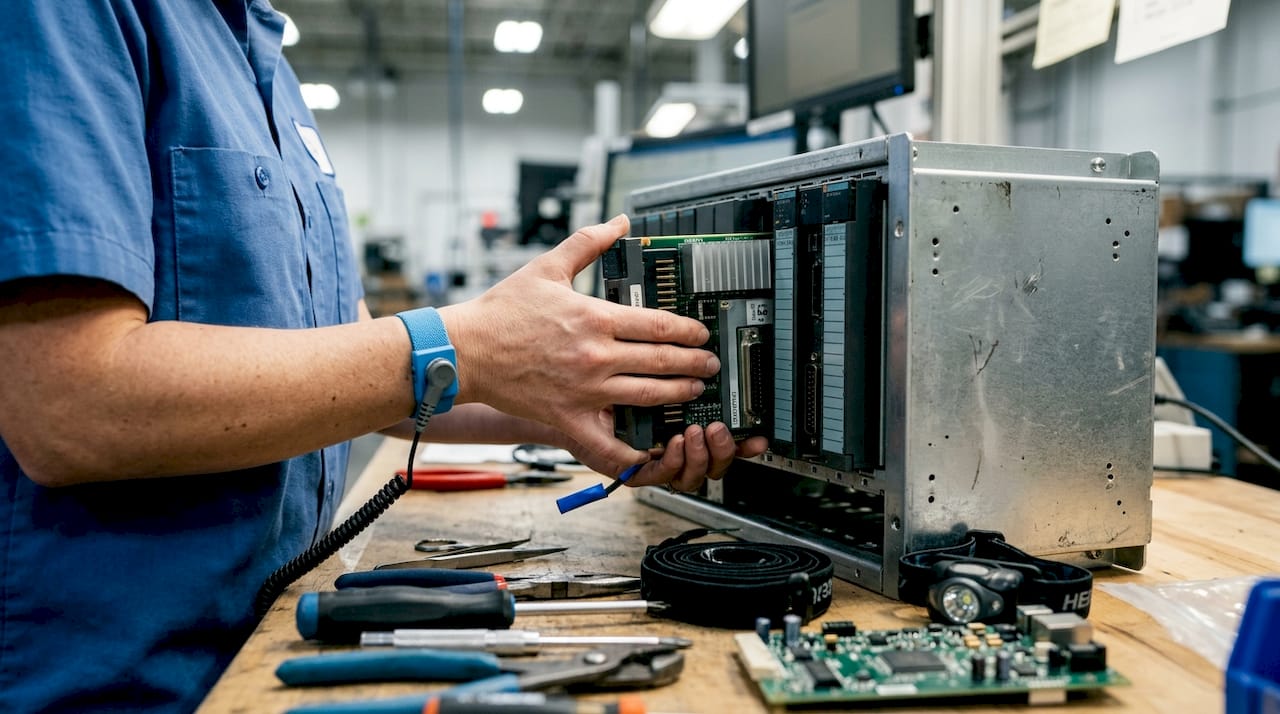
The Series 90-70 uses a modular rack-based architecture. Each rack holds a CPU module, one or more power supply modules, and a mix of I/O and communication modules. The rack backplane handles all inter-module communication, which means a failed backplane can cause symptoms that look like multiple module failures at once.
CPU modules
The most common CPU models are the IC697CPU731 and IC697CPU772, both of which carry full support in Logicmaster 90-70 and Proficy Machine Edition. The IC697CPU772 offers more program memory and faster scan times than the IC697CPU731. Both modules use a 5-slot or 9-slot IC697 rack and accept standard Series 90-70 I/O modules without modification.
Power supply and I/O options
Power supply modules are available in 120 VAC, 240 VAC, and 24 VDC input configurations. Choosing the wrong supply for your facility voltage is a common installation error that causes intermittent faults rather than hard failures. I/O modules cover discrete DC input, discrete DC output, discrete AC input, discrete AC output, and analog input/output types. Connector styles vary by module generation, so verify the exact part number before ordering a replacement.
Communication interfaces
The Series 90-70 supports serial SNP (Serial Natural Protocol) for direct programming connections and Ethernet SRTP (Service Request Transfer Protocol) for network-based communication. Ethernet SRTP modules allow the PLC to exchange data with SCADA systems and HMIs without a dedicated serial cable at the programming port. Serial SNP remains the most common interface for direct CPU access during troubleshooting.
Key Series 90-70 hardware at a glance:
- Rack sizes: 5-slot and 9-slot IC697 racks
- CPU examples: IC697CPU731, IC697CPU772
- Power supply inputs: 120 VAC, 240 VAC, 24 VDC
- I/O types: discrete DC/AC input and output, analog input/output
- Communication: serial SNP, Ethernet SRTP
How is Series 90-70 programming done, and what challenges arise today?
Programming the Series 90-70 centers on Logicmaster 90-70, a DOS-based environment whose latest version is approximately v9.05. That version number tells you everything about the software’s age. Running it on a modern Windows 10 or Windows 11 machine without additional setup is not possible.
The DOS environment problem
Logicmaster 90-70 requires a true DOS or early Windows environment to operate correctly. Virtual machines running MS-DOS or Windows 95 are the standard workaround for maintenance teams using current hardware. Setting up that virtual machine correctly takes time and technical knowledge that many plant teams no longer have on staff. The configuration is not difficult for someone experienced with virtualization tools like VMware or VirtualBox, but it is not a five-minute task either.
Proficy Machine Edition as the modern path
GE Fanuc’s Proficy Machine Edition (PME) supports Series 90-70 project uploads, downloads, and conversions on modern Windows operating systems. PME offers expanded program memory and computing capacity compared to Logicmaster, which matters when you are adding logic to an aging program. PME also handles project conversion from Logicmaster format, so you do not need to rebuild programs from scratch when migrating.
Serial communication setup
Connecting to a Series 90-70 CPU requires a serial programming cable, typically an IC647CCC or equivalent. The correct serial settings are 19,200 baud, odd parity, and SNP protocol. A single wrong setting prevents any connection and produces a generic communication error. Many engineers waste hours on software troubleshooting before realizing the baud rate was set to 9,600 instead of 19,200.
Steps to establish a programming connection:
- Confirm the serial cable is an IC647CCC or a verified equivalent.
- Set the COM port in Logicmaster or PME to match the physical port on your laptop.
- Set baud rate to 19,200, parity to odd, and protocol to SNP.
- Power cycle the CPU if the connection still fails after confirming settings.
- Check the cable for continuity if the CPU does not respond after a power cycle.
Pro Tip: Keep a dedicated laptop with the Logicmaster virtual machine pre-configured and stored in your maintenance room. Rebuilding the environment during an unplanned outage costs far more time than maintaining a ready machine.
What are common troubleshooting and maintenance practices for Series 90-70 systems?
Fault diagnosis on the Series 90-70 starts with the diagnostic LEDs on the CPU and power supply modules. The CPU module has separate LEDs for power, run, fault, and communication status. A solid fault LED with the run LED off points to a CPU or program fault. A flashing fault LED often indicates a hardware configuration mismatch between the physical rack and the stored hardware configuration table.
Identifying module failures
- CPU faults: Check the CPU fault table in Logicmaster or PME for specific fault codes before swapping hardware.
- Power supply failures: Measure output voltage at the backplane connector. A supply showing correct input voltage but low output voltage is failing internally.
- I/O module faults: Force individual I/O points in the software to confirm whether the fault is in the field wiring or the module itself.
- Backplane issues: If multiple modules show faults simultaneously, suspect the backplane before replacing individual modules.
- Communication failures: Verify serial settings first. Misconfigured baud rate or parity is the most common cause of failed programming connections.
Sourcing replacement parts
Specialist distributors like Industrialpartsusa stock legacy Series 90-70 modules, including CPUs, power supplies, and I/O cards, that are no longer available from the original manufacturer. Buying from a specialist who tests and warranties parts before shipping reduces the risk of installing a failed replacement into a production rack. Industrialpartsusa carries new, used, surplus, and remanufactured modules with a one-year warranty, which matters when you cannot afford another unplanned outage.
Pro Tip: Before pulling a suspect module, photograph the rack layout and write down every module part number and slot position. Rebuilding a hardware configuration table from memory after a rushed swap is a common source of secondary faults.
Thorough documentation of programming environments, cable types, and hardware configurations is the single most effective way to reduce troubleshooting time on legacy systems. That documentation should live somewhere other than the head of the engineer who originally commissioned the system.
What strategies exist for upgrading or retrofitting Series 90-70 automation systems?
The core decision for any Series 90-70 upgrade is whether to modernize the software environment, migrate the hardware to a newer platform, or do both. Each path has different cost profiles and risk levels.
Software modernization vs. hardware migration
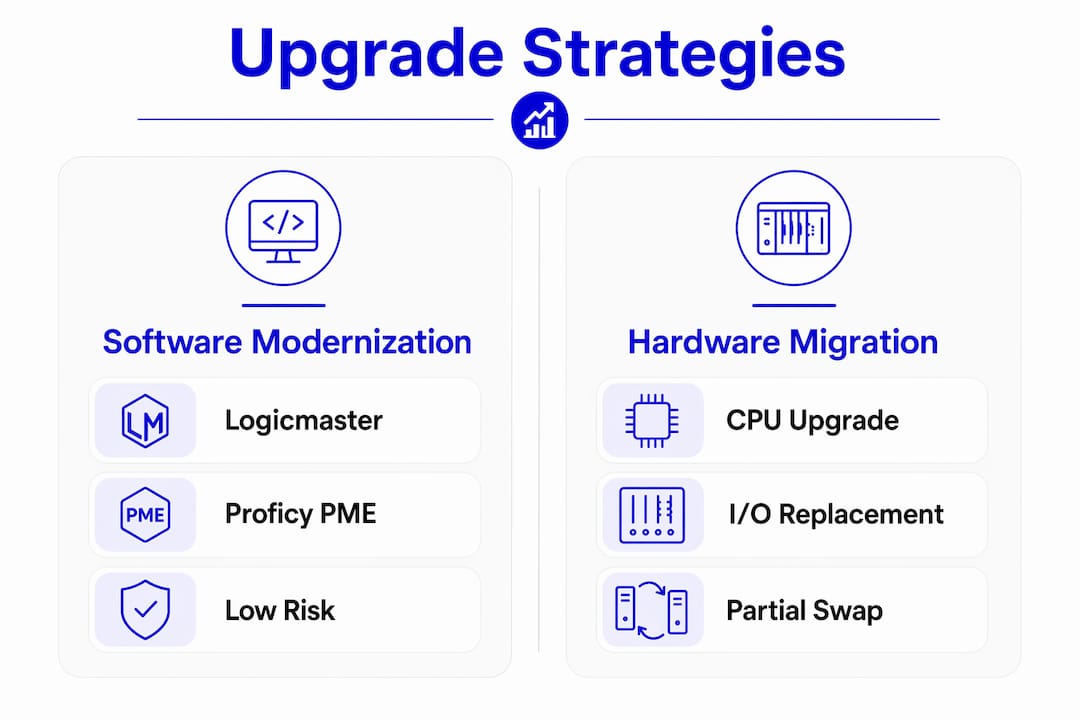
| Approach | What changes | Best for |
|---|---|---|
| Software modernization only | Migrate from Logicmaster to Proficy Machine Edition | Systems with functional hardware and limited budget |
| Partial hardware migration | Replace CPU and power supply, retain existing I/O modules | Systems with aging CPUs but serviceable field wiring |
| Full platform migration | Replace entire rack with RX3i or RX7i hardware | Systems with frequent hardware failures or capacity limits |
| Retrofit with legacy parts | Source replacement Series 90-70 modules to extend life | Systems where full migration is not yet justified |
Software modernization through Proficy Machine Edition is the lowest-risk first step. PME converts Logicmaster projects and runs on current Windows hardware, which eliminates the DOS virtual machine dependency for day-to-day programming tasks. The hardware stays in place, and the learning curve for your maintenance team is manageable.
Partial hardware migration makes sense when the CPU is the bottleneck but the I/O wiring and modules are in good condition. GE Fanuc’s RX3i platform accepts some Series 90-70 I/O modules through adapter racks, which preserves your field wiring investment. Full platform replacement is the right call when hardware failures are frequent enough that downtime costs exceed migration costs.
Planning for long-term obsolescence
The Series 90-70 platform is past its end-of-life support date from the original manufacturer. That means no new firmware updates, no factory repair service, and shrinking availability of new-old-stock modules. A legacy hardware guide helps plant engineers map out which modules are still available and which are approaching critical scarcity. Building a small spare parts inventory now costs far less than an emergency sourcing effort during a production outage.
Key Takeaways
The Series 90-70 remains maintainable in 2026, but success depends on having the right software environment, documented hardware configurations, and a reliable source for legacy modules.
| Point | Details |
|---|---|
| Software environment is the first bottleneck | Logicmaster 90-70 v9.05 requires a DOS virtual machine on modern hardware; Proficy Machine Edition removes that dependency. |
| Serial communication settings are exact | Use 19,200 baud, odd parity, and SNP protocol; any deviation causes a connection failure. |
| Documentation prevents repeat downtime | Record every module part number, slot position, cable type, and software version before any maintenance event. |
| Specialist sourcing extends system life | Legacy modules are available through distributors like Industrialpartsusa with tested, warranted stock. |
| Upgrade path depends on failure frequency | Software modernization first, then partial or full hardware migration when downtime costs justify the investment. |
Why the software environment is the real maintenance risk
The hardware on a Series 90-70 is actually the easier problem to solve. Modules fail, you replace them, and a good specialist distributor has stock. The harder problem is the software environment, and most plants do not realize it until they are staring at a DOS prompt at 2 a.m. during a production outage.
I have seen plants with perfectly functional Series 90-70 racks that could not upload a program backup because the one laptop with Logicmaster installed had a failed hard drive. Nobody had documented the virtual machine setup. Nobody had a second machine configured. The hardware was fine. The institutional knowledge was gone.
The fix is not complicated, but it requires doing the work before the emergency. Set up two laptops with the Logicmaster virtual machine or Proficy Machine Edition. Store one in the plant and one offsite. Document the COM port settings, the cable part number, and the baud rate on a laminated card taped inside the control cabinet. That card has saved more production hours than any hardware upgrade I can point to.
The other thing engineers overlook is the IC647CCC cable. Compatible programming cables are increasingly difficult to source. Buy two spares now. A failed cable looks exactly like a failed CPU to someone who does not know the system, and the wrong diagnosis leads to expensive module swaps that solve nothing.
— Monica
Industrialpartsusa stocks Series 90-70 parts and supports your upgrades
Keeping a Series 90-70 system running requires fast access to tested legacy hardware, and that is exactly what Industrialpartsusa delivers.

Industrialpartsusa stocks new, used, surplus, and remanufactured Series 90-70 modules including CPUs, power supplies, and I/O cards, all backed by a one-year warranty. Same-day shipping on in-stock items means you are not waiting weeks for a part that OEM channels no longer carry. Whether you need a single replacement module, a programming cable, or support planning a migration to Proficy Machine Edition, Industrialpartsusa has the inventory and the technical background to help. Contact the team directly for availability on specific part numbers and current pricing.
FAQ
What is the Series 90-70 PLC?
The Series 90-70 is a rack-based PLC platform developed by GE Fanuc for industrial automation. It uses modular IC697-series hardware and is programmed with Logicmaster 90-70 or Proficy Machine Edition.
What software do I need to program a Series 90-70?
Logicmaster 90-70 v9.05 is the original DOS-based programming tool; Proficy Machine Edition is the modern alternative that runs on current Windows systems and supports project conversion from Logicmaster format.
Why can’t I connect to my Series 90-70 CPU?
The most common cause is incorrect serial communication settings. Verify the connection is set to 19,200 baud, odd parity, and SNP protocol, and confirm you are using a compatible IC647CCC or equivalent cable.
How do I run Logicmaster 90-70 on a modern computer?
Running Logicmaster 90-70 on a modern PC requires a virtual machine configured with MS-DOS or Windows 95. Alternatively, migrating to Proficy Machine Edition eliminates the need for a DOS environment entirely.
Where can I find replacement parts for a Series 90-70?
Specialist distributors like Industrialpartsusa carry legacy Series 90-70 modules beyond their OEM end-of-life date, with tested and warranted stock available for same-day shipping.
Recommended
- GE Emerson Series 90-30 IC693APU305 I/O Link Module – Global Electrical and Industrial
- GE Emerson Series 90-30 IC693ALG221 Analog Input 4PT Module – Global Electrical and Industrial
- RX3i PLC Guide for Plant Engineers: 2026 Edition – Global Electrical and Industrial
- GE Emerson Series 90-30 IC693MDL340 – 120V AC Output Module – Global Electrical and Industrial